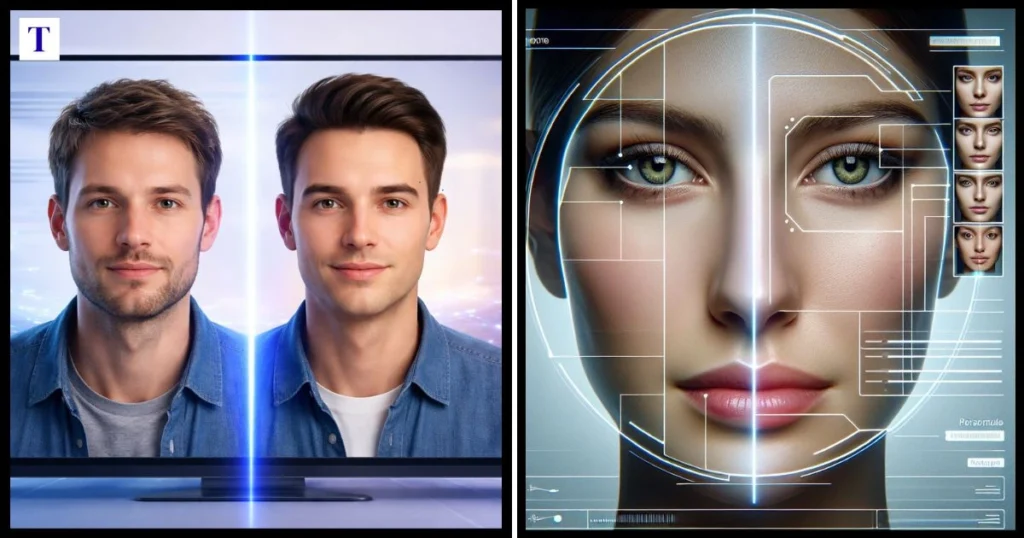

AI face swapping has made photo and video editing much easier for people who do not have professional editing skills. Vidnoz AI Face Swap is an online tool that uses artificial intelligence to replace faces in photos and videos. It also supports multiple-face swapping, allowing users to work with group images and videos rather than being limited to one face at a time.
The appeal is not only the speed of the process. AI can handle much of the facial detection, alignment and blending that would otherwise require manual editing. This makes the technology useful for creative projects, social media content, visual experiments and simple video concepts. However, the quality of the final result still depends on the original material. Face angle, lighting, image quality, movement and facial visibility can all affect how natural the finished swap looks. This guide explains how the tool works, how to use it for different types of content, its free options, alternatives, safety considerations and whether it is worth using.
What Is Vidnoz AI Face Swap?
Vidnoz AI Face Swap is an online face-replacement tool for changing a face in an image or video. The current service provides separate photo, video and multiple-face workflows. For a standard swap, users provide the original photo or video and an image containing the face they want to use. The AI then processes the material and generates a new version with the selected face.
The main advantage is that users do not have to manually create facial masks, cut around facial features or blend multiple editing layers. The AI performs much of that technical work automatically, which makes the process approachable for beginners. It can also be useful for more experienced creators who want to produce quick variations of an image or video. The result is not guaranteed to be perfect, though, so the quality of the source files remains an important part of the process.
How Does Vidnoz AI Face Swap Work?
The process starts by identifying the face in the original image or video and analysing the facial information provided in the target image. The system then attempts to place the replacement face into the target material while maintaining the surrounding composition. With a still photograph, the AI only needs to create one final image. With video, it has to keep the replacement aligned across multiple frames as the person’s position and expression change.
This is why source material has such a significant effect on the result. A clear face facing towards the camera gives the system more useful information than a blurred face viewed from an extreme angle. Consistent lighting can also make blending easier because there is less difference between the source and target appearance. In video, rapid head movements, motion blur, changing lighting and objects covering the face can create additional challenges. Choosing suitable footage before processing can therefore improve the result considerably.
How to Use Vidnoz Face Swap for Photos
Photo face swapping is the simplest workflow because the AI only has to process a single image. Vidnoz’s current process involves uploading the original photo, uploading a target face image and starting the face swap. The service supports common image formats including JPG, PNG and WEBP.
For a more natural result, select two images with reasonably similar facial angles and lighting. A sharp, well-lit portrait usually provides better information than a heavily compressed or blurry photograph. Try to keep important facial features visible and avoid images where sunglasses, hands, hair or other objects cover large areas of the face. If the result looks unnatural, changing the source image can often help more than repeatedly processing the same photograph.
How to Use Vidnoz AI Face Swap for Videos
Video face swapping is more demanding because the replacement face must remain aligned while the subject moves. Vidnoz currently supports video face swapping and accepts formats including GIF, MP4, M4V, MOV and WEBM, with the current tool listing a 100MB upload limit for the video workflow.
A short clip is a good starting point, particularly if you are using the tool for the first time. Choose footage where the face remains visible and avoid excessive motion, extreme head turns or frequent changes in camera angle. After processing, watch the complete video rather than judging the result from one frame. Problems such as shifting alignment or inconsistent facial blending may only become visible later in the clip when the subject moves or the lighting changes.
How to Use Vidnoz Multiple Face Swap
Multiple face swapping is designed for content containing several people. Vidnoz’s current tool allows users to upload an image or video containing multiple faces and provide target faces for the people they want to change. The service describes this workflow as suitable for group photos and videos, with AI detection used to identify the faces that can be replaced.
This can save considerable editing time when a project contains several people because each face does not have to be manually edited. However, group scenes can also introduce additional challenges. Faces that overlap, people standing very close together, poor lighting or rapid movement can make accurate detection more difficult. For the best outcome, use a clear group image or video in which each person’s face is reasonably visible, then check every face in the finished result instead of assuming that the entire group has been processed equally well.
Is Vidnoz AI Face Swap Free Online?
Vidnoz currently offers online face-swapping tools with limited free use, so users can try the functionality without immediately committing to a paid plan. The service’s current information lists photo face swap, video face swap and multiple-face options under its free offering, while also showing additional capabilities and higher limits on paid plans.
For someone searching for vidnoz ai face swap video free, this means the important distinction is between free access and unlimited access. Free usage can be useful for testing the tool, creating occasional content or deciding whether the workflow suits your needs. If you process many images or videos, however, usage limits can become more relevant. Since AI services regularly update their plans and features, check the current limits when you are ready to start a larger project.
Vidnoz AI Face Swap: Free vs Paid
The free option is mainly useful for trying the technology and handling lighter workloads, while paid access is designed for users who need greater capacity or additional features. Vidnoz’s current plan information lists limited free usage and paid options with features such as HD face swapping, higher usage and watermark-free exports. The current credit system also varies according to the type of face-swap task.
Whether paying is worthwhile depends on how you use the service. If you only want to make a few images occasionally, starting with the free option lets you understand the workflow without unnecessary spending. A creator who regularly produces videos may have different requirements, particularly if output quality, processing limits or watermark-free exports matter. Before upgrading, consider your monthly workload and choose features that solve an actual problem rather than paying simply for access to a larger plan.
Does Vidnoz Have an APK or Mod APK?
People searching for vidnoz ai face swap free apk or vidnoz ai face swap mod apk are often looking for a mobile version or a way to access premium features without paying. These searches need some caution because an APK obtained from an unofficial third-party source is not automatically an official Vidnoz product. A modified application may have been changed by someone other than the original developer.
This matters particularly for face-swapping software because users may upload personal photographs. An unknown application could introduce unnecessary privacy or security risks, while claims of unlimited premium access may not accurately represent the official service. Users should therefore distinguish between Vidnoz’s recognised online tools and unofficial modified downloads. If you are concerned about the security of your images or device, using the recognised service is a more straightforward approach.
Vidnoz vs MioCreate Face Swap
MioCreate is another AI platform that offers face-swapping functionality, so it can appear alongside Vidnoz when users compare online face-editing tools. Both services are designed to reduce the manual work involved in replacing faces, but the practical experience can differ depending on whether you are editing a photo, a video or content containing multiple people.
The most useful comparison is based on your own material rather than a general claim that one platform is better for everyone. Use similar source images or short clips and examine facial alignment, expression handling, lighting, processing speed and output quality. A simple portrait may produce good results on several platforms, while moving video can reveal differences in tracking and consistency. Testing the type of content you actually intend to create gives you more useful information than comparing feature lists alone.
Vidnoz vs VidMage for Video Face Swap
VidMage is another option that may appear in searches for AI video face swapping. Video is particularly useful for comparison because a convincing result needs to remain consistent across many frames. A face can look natural in a single screenshot while becoming less convincing when the subject turns their head, changes expression or moves through different lighting.
When comparing Vidnoz with VidMage, consider practical factors such as supported formats, processing limits, output resolution, face tracking and ease of use. A short test video containing ordinary movement is more informative than a completely static clip. Watch for flickering, facial distortion, sudden alignment changes and differences in appearance between frames. This type of testing helps you understand which workflow is more suitable for your particular video rather than relying solely on promotional claims.
What Are the Benefits of AI Face Swapping?
The main benefit of AI face swapping is the reduction in manual editing work. Traditional face replacement can require careful selection, masking, resizing, colour adjustment and edge blending. AI automates much of this process, allowing beginners to experiment with face replacement without first learning advanced image or video-editing techniques.
Common uses include:
- Creating entertaining social media content
- Experimenting with creative portraits
- Producing short video concepts
- Editing group photographs
- Testing different visual ideas
- Creating personalised creative content
- Exploring AI-assisted photo and video editing
The technology can also speed up experimentation. For example, a creator can test several possible faces on a short video rather than manually editing every version from scratch. Someone working with a group photograph can explore different combinations without creating individual masks for each person. The practical value is therefore the time saved during the creative process, not simply the novelty of replacing one face with another.
Is Vidnoz AI Face Swap Safe?
Using a face-swapping service involves privacy considerations as well as creative ones. A photograph of someone’s face can be personal information, so users should think carefully about what they upload and whether they have permission to use the images involved. Avoid uploading sensitive photographs unnecessarily, particularly when they contain private information or people who have not agreed to have their likeness edited.
Responsible use also matters after the face swap has been created. An altered image can be harmless when clearly used for entertainment or creative work, but it can become misleading if presented as authentic. Users should consider consent, privacy and context before sharing generated material publicly. It is also sensible to review the service’s current privacy and usage terms before uploading important images or videos, because online policies can change over time.
(FAQs)
Is Vidnoz AI Face Swap free to use?
Vidnoz currently provides limited free access to its face-swapping tools, including photo, video and multiple-face functions. The free option is useful for trying the service, but it should not be confused with unlimited usage. Paid plans provide additional capacity and features, so regular users should check the current limits before starting a larger project.
Is Face Swap AI free?
Some AI face-swapping services offer free access, free trials or limited generations, while others charge for particular features or higher usage. Free access can also come with restrictions on credits, output quality, processing or other capabilities. If you plan to create many images or videos, check the current terms rather than assuming that a free face-swap tool is unlimited.
Can ChatGPT do face swap?
ChatGPT can work with images and provide different image-related capabilities depending on the version and tools available. However, dedicated face-swapping platforms are specifically built around replacing faces in photos and videos. If your main requirement is automated face replacement, a dedicated service may provide a workflow designed specifically for that purpose.
Can Vidnoz AI animate swapped faces?
Face swapping and facial animation are separate processes. Face swapping replaces one person’s facial appearance with another, while animation can add or modify movement, expressions or other visual effects. Vidnoz provides several AI video and animation-related tools, but the exact features available alongside face swapping can depend on the current tool and plan.
Is Vidnoz suitable for beginners?
Yes. The service is designed around an upload-and-process workflow, so users do not need advanced masking or compositing skills to begin. Beginners can start with a clear photograph or a short video and learn how different source images affect the result. Using good lighting, visible faces and manageable movement will make the learning process easier.
Conclusion
Vidnoz AI Face Swap provides an accessible way to replace faces in photos and videos without requiring advanced editing skills. Its current tools cover single-face and multiple-face workflows, making it useful for everything from simple portraits to group images and short video projects. The biggest advantage is the amount of manual work the AI can reduce, allowing users to experiment with visual ideas much faster than traditional face-editing methods.
The quality of the final result still depends heavily on the source material. Clear faces, suitable lighting, good image quality and manageable movement give the AI better conditions for producing a convincing result. Free access is useful for testing the service, while frequent users can consider paid features if they genuinely need greater capacity or higher-quality output. APK and mod APK downloads should be approached cautiously, particularly when personal images are involved. Overall, Vidnoz is a useful option for beginners and creators who want a simple way to explore AI-powered face swapping while understanding its practical limitations.